
Netflix Group Watch
Introduction
Role
UX/UI Designer and Researcher
Duration
4 weeks
Tools
Figma
Background
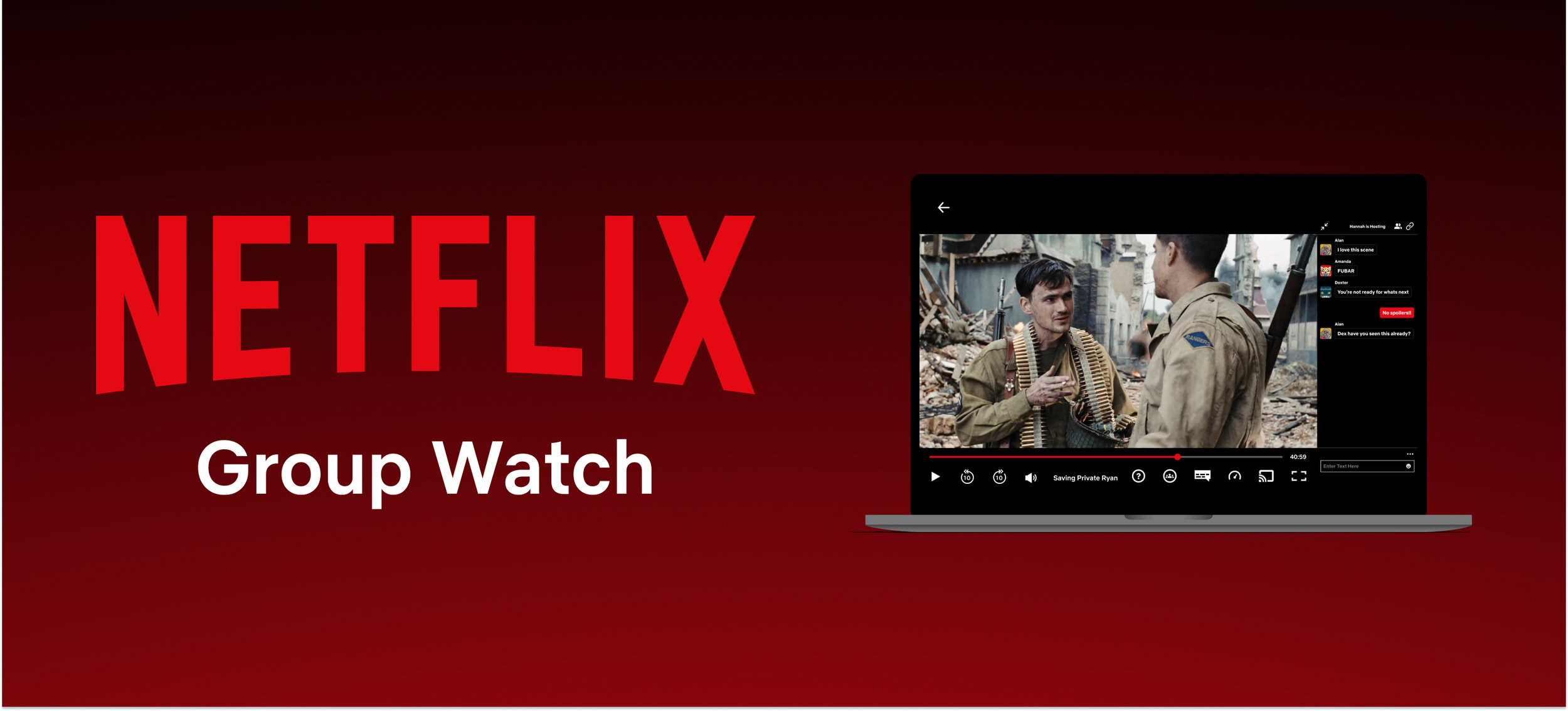
With the impact of the worldwide pandemic social isolation has become a global issue and the need for virtual interaction has hit an all time high. Though there are third-party chrome extensions, Netlfix, the largest subscription streaming service, has yet to have an integrated group viewing feature. This feature has been explored by major competitors like Disney+ and Hulu. This project dives into the integration of this feature to the Netflix interface.
Project Objectives
Copy work to recreate the Netflix interface.
Ideate and create a new and intuitive Group Watch feature.
Integrate Group Watch to the existing interface.
Research
Research Goals
The primary goal for this research was to gauge the strengths, weaknesses, and pain points that currently exist with group streaming platforms and extensions. Understanding the current market in the streaming category as well as what users would want when using a group streaming feature will be crucial for developing a new feature on a very established platform like Netflix.
Competitive Analysis
Group viewing still being a fairly new concept in the streaming services, many still in the beta testing phase, I explored what features and different design approaches are currently being tested in the market. Observing the different approaches that are being taken by the current group viewing options allows me to explore different options that can be incorporated into Netflix’s interface.

Weaknesses
Separate window for chat functions.
No clear attendees list
Disney+: Can only communicate through emojis and no text.
Teleparty and Scener: All users must be using Chrome and have the extension installed.
Strengths
Ability to transfer hosts and who has playback privileges.
Can invite party members via link or code.
Video and text chat.
Simple interface to not distract from the movie/show.
1-on-1 Interviews
The purpose of these interviews was to gauge potential users’ experience levels with similar features as well as other group communication platforms. By finding what they are familiar to as well as finding strengths and weakness of preexisting products, we can find better direction on how to develop this new feature for Netflix.
Interviews: 3
Duration: 15- 20 minutes
Age Range: 27 - 31
Occupation: Varying
Findings
100% of the interviewees already use Netflix as one of their primary streaming platforms.
100% of the interviewees have used Zoom for coordinating group video calls during the pandemic.
2/3 interviewees have had watch parties with friends using screen sharing.
Both interviewees have had issues with copyright blocking for their screen shares.
Both resorted to using third-party stream sites to screen share via Zoom/Discord.
100% of the interviewees would like a text chat feature to communicate while watching.
100% would find voice communications and video to be too distracting and taking away from what they are watching.
Live reactions/ emotes may be a good way to communicate efficiently without taking too much away from the movie
2/3 would want one person to control the remote.
100% think they will still use these social features and platforms after the pandemic.
Takeaways
Through the interviews I confirmed that users are already quite familiar with Netflix, Zoom, and Facebook Messenger’s interface including actions such as screensharing, creating lobbies, and communicating. There is a clear need for a way to watch Netflix with others since its content is well protected and cannot be streamed via screen share., which enforced the need for creating this new feature for Netflix.
In terms of features for the group viewing, text chat seems to be the least distracting means to still communicate with each other without taking away from the movie/show. Initially, I thought having facecams would be a fun feature to be able to see each other’s reactions while watching a movie, but after hearing these responses, I realized how seeing everybody’s faces next to the movie can be distracting and take away from the movie. It was also clear that one person should be in charge of the playback as host but it is essential to have the option to switch the host or potentially co-hosts, similar to ZOOM.
Though this feature will be most relevant during the pandemic, there is plenty of opportunities for future use.
Define
User Persona
Hannah represents the “average” user that reflects many users’ struggles especially during the global pandemic, who relies on Facebook and Zoom to stay in touch with friends and misses social interactions like going to the movies, before social isolation.
Heuristic Analysis
To get a better understanding of the strengths and weaknesses of preexisting competitors I created a heuristic analysis that will help me organize features that I would want to integrate on to Netflix’s new feature. From the interviews, I already learned that some users prefer text chat and they are familiar with interfaces like Zoom and Discord. Given the takeaways from the interviews, I wanted to see how current competitors’ approaches aligned with my findings from the interviews.
Since HULU and Disney are still beta testing and Teleparty and Scener are third-party extensions, this was an opportune timing to create a seamless integrated group viewing feature for Netflix.
Design Systems
UI Kit
To integrate a new feature into an already existing platform, I documented all the aspects of Netflix’s current design that I will need to follow to create a new feature that integrates well with the current platform. In addition to accurate copy work to recreate Netflix’s current interface, it was also vital for any new assets such as buttons, input fields, icons, and fonts matched similar components found in different parts of Netflix. The overall goal was to create the new feature that follows Netflix’s existing design system like which gray is used for modals or which style of input field is used for different situations.
Some of the biggest difficulties came from the fact that their interface only uses one accent color (Netflix’s red) and differentiates the rest of their interface with different shades and transparencies of grey. To keep this consistency made me reflect on the different purposes the greys served. Another challenge was to recreate their button and icon behaviors for the different states.
Components
To streamline the design process, I created a components page to compile the assets needed for this project.
Prototype
High Fidelity Wireframe
Compiling the information from the research, heuristic analysis, and the assets from the Components page, I created a high fidelity wireframe to be used for the prototype.
A major design decision that had to be made was where to introduce the new feature on the Netflix interface. The decision was whether to include the function to individual movies or to include the new feature to the main navigation on the homepage. After reflecting, I came to the realization that Netflix reserves the minimal main navigation to key features and categories for Netflix. In addition, adding the Group Watch to the main navigation would also mean that the lobby will navigate the homepage together, which would deviate to a screen sharing experience, which is not the objective of Group Watch. With these reasons in mind, I came to the conclusion that the Group Watch function should be placed on individual movie tiles.
Usability Test
In order to test the effectiveness of the navigation, intuitiveness of the UI, and discover potential pain points, a remote usability testing via screen share was conducted using the Mobile Prototype.
The participants were asked to complete 2 tasks under 2 scenarios.
You wish to watch Saving Private Ryan with a few of your friends.
- Create a lobby for Saving Private Ryan and invite your friends to join.
Now that you’re in the group watch, you want to confirm Dexter is still in the session and respond to chat.
- Check the attendee list then respond to chat.
Test Findings
All 3 participants were completed the tasks with minimal pain points. Received feedback that the Group Watch function felt natural within the Netflix interface, but also received feedback that when the participant uses Netflix, they tend to not look at the hover preview or more information and go straight to play. This observation brings to light the need to have a easily accessible Group Watch button from the regular movie screen, in case they press play instead of opening the movie through Group Watch. All participants claimed to be familiar with the chat function from using similar interfaces such as Zoom, Twitch, and Discord.
Affinity Map
The usability test had a 100% completion rate with minimal friction and pain point due to the familiar navigation design.
Using a affinity map, I organized the major findings from observing and interviewing the participants from the usability test.
High Priority Revision
The Usability Tests brought to my attention that not all users pay attention to the preview screen or the More Info modal and automatically press the play button. With the current prototype, there was no easy access to the Group Watch function from the movie screen and the user would be required to return to the main page and restart the process to start Group Watch.
I added a button for the Group Watch function to the movie screen to address this potential pain point.
Reflection
To integrate a brand new function into an existing platform, the importance of maintaining consistency is crucial to making sure the new feature feels natural to the existing flows. Carefully documenting and implementing the color pallets, animations, typefaces, etc. was key to making sure the new feature felt like it belonged on Netflix. With the rise of interactive streaming and group chats from platforms like Twitch, Discord, Facebook, and Zoom, it was important for me to take advantage of this familiarity and create a intuitive chat experience that has a minimal learn curve. This project taught me what is necessary to create something new, while making it feel as if the new feature has always belonged in the preexisting interface.
Next Steps
Explore the integration of the this new feature on mobile as well as TV apps.
Usability test reiterations to gauge the effectiveness of the changes.
Hand off design specifications to developers.